# ⛅ Cloudflare Workers as a Web Server with Webpack (Lesson 2)
In this article, I will be configuring a Worker as a Web Server with Webpack.
This is the second article in a series I am doing on Cloudflare Workers. I am excited about the Cloudflare Workers platform and if you are too, subscribe to my Newsletter and get a notification for the next article!
%[https://www.youtube.com/watch?v=KMEgJRqYzzg]
## Cloudflare Workers Course Outline
1. [Getting Started with Serverless Cloudflare Workers](https://joel.net/getting-started-with-serverless-cloudflare-workers-lesson-1)
2. **Cloudflare Workers as a Web Server (with Webpack)**
3. [Making API Calls From a Cloudflare Worker](https://joel.net/making-api-calls-from-a-cloudflare-worker-lesson-3)
4. [Key-Value Storage With Cloudflare Workers KV](https://joel.net/key-value-storage-with-cloudflare-workers-kv-lesson-4)
5. [[Bonus] Smart Routing with Cloudflare Workers](https://joel.net/smart-routing-with-cloudflare-workers-and-webpack-bonus-content)
## Generate a Cloudflare Worker Website
If you already have `wrangler` installed, you can skip the `npm install` step.
```bash
$ npm install -g @cloudflare/wrangler
$ wrangler generate my-website
$ cd my-website
```
## Configure Webpack
Webpack supports the `webworker` target output with this `webpack.config.js`.
I also move `index.js` to `src/index.js`. I like to keep all my source files in an `src` directory so they aren't hidden by all the configs in the root.
```javascript
module.exports = {
target: 'webworker',
context: __dirname,
entry: './src/index.js',
mode: 'development',
devtool: 'cheap-module-source-map',
module: {
rules: [
{
test: /\.html$/i,
loader: 'html-loader',
},
],
},
}
```
I am also installing the `html-loader` to include html files in the bundle.
```bash
$ npm install --save-dev html-loader
```
## Change The Worker Type to Webpack
Change the `type` to `webpack` and add `webpack_config` with the value `webpack.config.js`.
Don't forget to set the`account_id`.
```toml
name = "my-website"
type = "webpack"
account_id = "1234567890" # set the account_id here!
workers_dev = true
route = ""
zone_id = ""
webpack_config = "webpack.config.js"
```
## Add HTML Files
Create an `html` directory and add an `index.html` and `404.html`.
**index.html**
```html
Document
Hello Worker!
```
**404.html**
```html
Document
404 Not Found
```
## Loading Routes
Modify the `src/index.js` file to import the HTML files and then in `handleRequest`, return either the `index.html` or the `404.html`.
```javascript
import index from '../html/index.html'
import notFound from '../html/404.html'
addEventListener('fetch', event => {
event.respondWith(handleRequest(event.request))
})
/**
* Respond with hello worker text
* @param {Request} request
*/
async function handleRequest(request) {
const { pathname } = new URL(request.url)
if (pathname === '/') {
return new Response(index, {
headers: { 'content-type': 'text/html' },
})
}
return new Response(notFound, {
headers: { 'content-type': 'text/html' },
status: 404,
})
}
```
At this point let's preview and make sure it's all working.
```bash
$ wrangler preview --watch
```
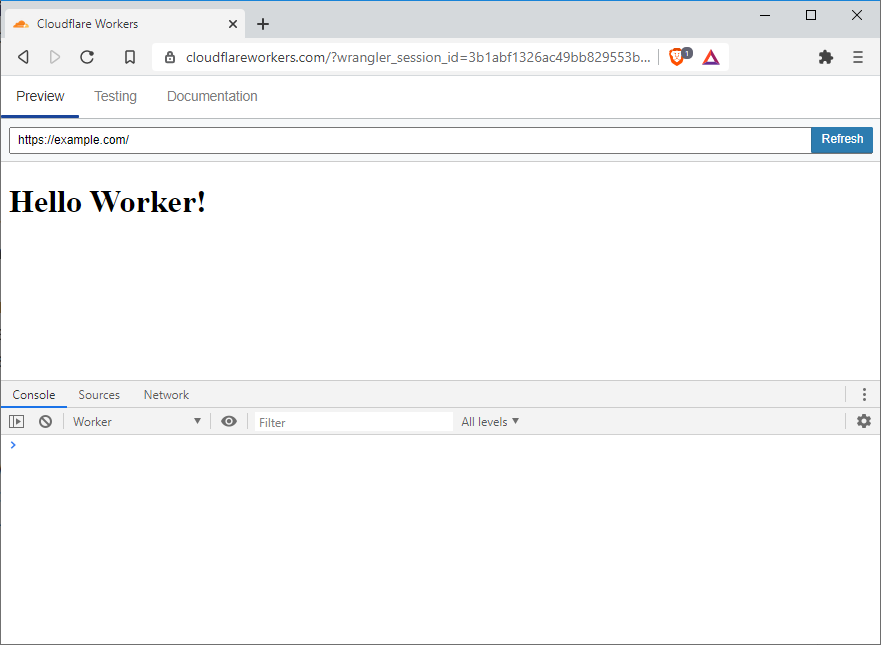
If all goes well, then a window should popup like this one showing our `index.html` page.
## Smarter Routing
Routing with `if` statements is pretty primitive. I'm gonna improve this.
Copy the `router.js` from [cloudflare / worker-template-router](https://github.com/cloudflare/worker-template-router) or [(2)](https://github.com/joelnet/cloudflare-worker-website/blob/ae0c7dcf533099832bc313099425d270e326148e/src/lib/router.js) and paste it into `src/lib/router.js`.
Switch back to `src/index.js` and import the Router at the top of the file.
```javascript
import Router from './lib/router'
```
Now I can change the routes inside `handleRequest`.
```javascript
async function handleRequest(request) {
const router = new Router()
router.get(
'/',
() =>
new Response(index, {
headers: { 'content-type': 'text/html' },
}),
)
router.all(
() =>
new Response(notFound, {
headers: { 'content-type': 'text/html' },
status: 404,
}),
)
const response = await router.route(request)
return response
}
```
It might not seem like a big change, but the route is now checking the `path` for `/` and the `method` for `GET`. This will give me great flexibility in my planned future.
## Refactoring
At this stage the Website is working pretty well, but I always like to do a little bit of refactoring in the end. It just makes me happy.
### Responses
First, I'm going to move the responses into a new file.
```javascript
/**
* src/lib/responses.js
*/
import notFoundHtml from '../../html/404.html'
export const htmlResponse = html =>
new Response(html, {
headers: { 'content-type': 'text/html' },
})
export const notFoundResponse = () =>
new Response(notFoundHtml, {
headers: { 'content-type': 'text/html' },
status: 404,
})
```
Now I can import these from `src/index.js`
```javascript
import { htmlResponse, notFoundResponse } from './lib/responses'
```
Then my `handleRequest` function cleans up like this.
```javascript
async function handleRequest(request) {
const router = new Router()
router.get('/', () => htmlResponse(index))
router.all(() => notFoundResponse(notFound))
const response = await router.route(request)
return response
}
```
### Pages
I like having the concept of pages, similar to how Next.js works. All my logic can't be written inside of `src/index.js` and I like to break this out early.
So I'm going to create a `pages` directory and create my two routes.
```javascript
/**
* src/pages/index.js
*/
import { htmlResponse } from '../lib/responses'
import index from '../../html/index.html'
const home = () => htmlResponse(index)
export default home
```
```javascript
/**
* src/pages/404.js
*/
import { notFoundResponse } from '../lib/responses'
const notFound = () => notFoundResponse()
export default notFound
```
In `src/index.js` I import the new routes and remove some old imports.
```javascript
import index from './pages/index'
import notFound from './pages/404'
// import index from '../html/index.html'
// import notFound from '../html/404.html'
// import { htmlResponse, notFoundResponse } from './lib/responses'
```
Then my `handleRequest` turns into this. Notice how I am passing the `request` into each page. It's unused now, but I will eventually have a route that will need it.
```javascript
async function handleRequest(request) {
const router = new Router()
router.get('/', () => index(request))
router.all(() => notFound(request))
const response = await router.route(request)
return response
}
```
## Source Code
Check out the project over on my Github repo.
[https://github.com/joelnet/cloudflare-worker-website](https://github.com/joelnet/cloudflare-worker-website/tree/ae0c7dcf533099832bc313099425d270e326148e)
## Summary
Configuring Cloudflare Workers to work as a web server is pretty simple using the `webpack` project type.
I was able to import HTML using the `html-loader` Webpack plugin and serve pages based on custom routing.
Subscribe to my [Newsletter](https://joel.net/newsletter) to continue learning about Cloudflare Workers!
Cheers 🍻
- Join my 📰 [Newsletter](https://joel.net/newsletter)
- Subscribe to my 📺 YouTube, [JoelCodes](https://www.youtube.com/c/JoelCodes?sub_confirmation=1)
- Say hi to me on Twitter [@joelnet](https://twitter.com/joelnet)